
- File
-
Designs
-
-
All Categories -
Category #1 - New Category
-
My designs
-
-
Help
-
Quick help
PROMOSXCHANGE
PROFESSIONAL GRADE // BRANDING
DESIGNER01_STAY IN THE ZONESafe Zone
Keep all logos and text inside the inner dotted line. This is your Safe Zone to ensure nothing is cut off by seams or edges.
02_HD ASSETS ONLYAsset Upload
Use SVG (Vector) or 300 DPI PNGs. If the Low-Res Warning triggers, swap your file to avoid a blurry or pixelated print.
03_COLOUR LOCKHEX or PMS
Enter your exact HEX or PMS (Pantone) codes in the colour picker to keep your branding consistent across all merch.
04_LAYER CONTROLLayer Options
Use the Layer Menu (top right) to drag elements Front-to-Back. Long Press on mobile or use Ctrl+Z to undo any mistakes instantly.
SYSTEM_READY ENGINE_ONLINE // 100% CREATIVE- ctrl+a
Select all objects
ctrl+d Double the activate object
ctrl+e Clear all objects
ctrl+s Save current stage to my design
ctrl+o Open a file to import design
ctrl+p Print
ctrl++ Zoom out
ctrl+- Zoom in
ctrl+0 Reset zoom
ctrl+z Undo changes
ctrl+shift+z Redo changes
ctrl+shift+s Download current design
delete Delete the activate object
← Move the activate object to left
↑ Move the activate object to top
→ Move the activate object to right
↓ Move the activate object to bottom
shift+← Move the activate object to left 10px
shift+↑ Move the activate object to top 10px
shift+→ Move the activate object to right 10px
shift+↓ Move the activate object to bottom 10px - By submitting a design, you confirm that you understand and accept that the final artwork is subject to review, adjustment, and approval by PromosXchange prior to production.

Copyright © 2005-2026 PromosXchange
All Rights Reserved.Powered by Lumise version 2.1.1
-
- Undo
- Redo
- 0.0
-
My Cart









-
Start designing by adding objects from the left side
- All selected objects are grouped | Ungroup?
- Group objects Group the position of selected objects
-
-
Fill options
Save this color
-
-
Options
-
Automatically align the position of <br>the active object with other objects -
ON: Keep all current objects and append the template into OFF: Clear all objects before installing the template -
Replace the selected image object instead of creating a new one
-
- Replace image
- Crop
-
Mask
-
Select mask layer
-
-
Remove background
-
Remove background
-
Deep:
-
Mode:
-
-
Filters
-
Filters
-
- Original
- B&W
- Satya
- Doris
- Sanna
- Vintage
- Gordon
- Carl
- Shaan
- Tonny
- Peter
- Greg
- Josh
- Karen
- Melissa
- Salomon
- Sophia
- Adrian
- Roxy
- Singe
- Borg
- Ventura
- Andy
- Vivid
- Purple
- Thresh
- Aqua
- Edge wood
- Aladin
- Amber
- Anne
- Doug
- Earl
- Kevin
- Polak
- Stan
-
Brightness:
-
Saturation:
-
Contrast:
-
- Clear Filters
- Click then drag the mouse to start drawing. Ctrl+Z = undo, Ctrl+Shift+Z = redo
- QRCode text
-
Fill options
-
Fill options
Save this color
-
Transparent:
-
Stroke width:
-
Stroke color:
-
- Ungroup position
-
Arrange layers
-
Position
-
Object position
Lock object position:
-
Center vertical
-
Top left
-
Top center
-
Top right
-
Center Horizontal
-
Middle left
-
Middle center
-
Middle right
- Press ← ↑ → ↓ to move 1 px, <br>Hit simultaneously SHIFT key to move 10px
-
Bottom left
-
Bottom center
-
Bottom right
-
-
Transforms
-
Rotate:
-
Skew X:
-
Skew Y:
-
Flip X:
Flip Y:
Free transform by press SHIFT+⤡
-
-
Font family
-
Edit text
-
Edit text
-
-
Font size:
-
Letter spacing
-
Line height
-
-
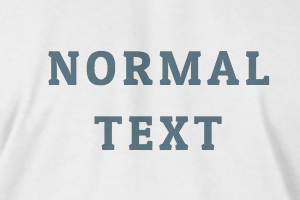
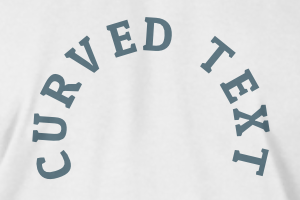
Text Effects
-
Text effects
-
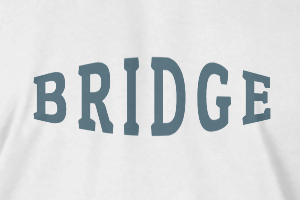
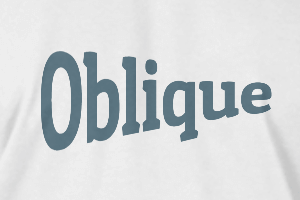
-
Radius
-
Spacing
-
Curve
-
Height
-
Offset
-
Trident
-
-
Text align
- Uppercase / Lowercase
- Font weight bold
- Text style italic
- Text underline